
 Germany Starter
How this page works
New to the Learning Center, or want a map of the panels? Start with a tour: Reading Lesson (Getting Around) or Screencast Lesson (Getting Around) — both walk through Tutilis next to a live planThe running Tutilis product next to this lesson — navigation, Bird's Eye, Forecaster, tools, and more — loaded with a teaching sample. A dossier is the plan data; the live plan is the full product surface with a sample dossier already open so you can explore. On the web, teaching samples are not editable the way your own dossier will be in the full app.Full entry → (to the right on a desktop-width screen, or below when stacked on a tablet).
This page — Germany Starter — includes a live sample planThe running Tutilis product next to this lesson — navigation, Bird's Eye, Forecaster, tools, and more — loaded with a teaching sample. A dossier is the plan data; the live plan is the full product surface with a sample dossier already open so you can explore. On the web, teaching samples are not editable the way your own dossier will be in the full app.Full entry → next to the text. On a wide screen it usually sits to the right of the text; on a tablet it usually sits below. Use the text for the walk-through, then try the same ideas in the live plan.
The live planThe running Tutilis product next to this lesson — navigation, Bird's Eye, Forecaster, tools, and more — loaded with a teaching sample. A dossier is the plan data; the live plan is the full product surface with a sample dossier already open so you can explore. On the web, teaching samples are not editable the way your own dossier will be in the full app.Full entry → next to this page — usually to the right on a wide screen, or below on a tablet — is Tutilis running a teaching sample: the same financial planning product available as a desktop application (early preview). A dossierYour full plan in Tutilis: the people in the household, what they own and owe, cash flows in and out, tax setting, and planning assumptions. One dossier is one complete situation as the product models it.Full entry → is the plan data; the live plan is the full product (navigation, Bird's Eye, Forecaster, tools) with a sample dossier already open so you can try the panels. See planned pricing. On the web, Learning Center samples are not editable the way your own dossier will be in the full app. Your own household goes in the Tutilis desktop app — the Learning Center front page has a short clip of that.
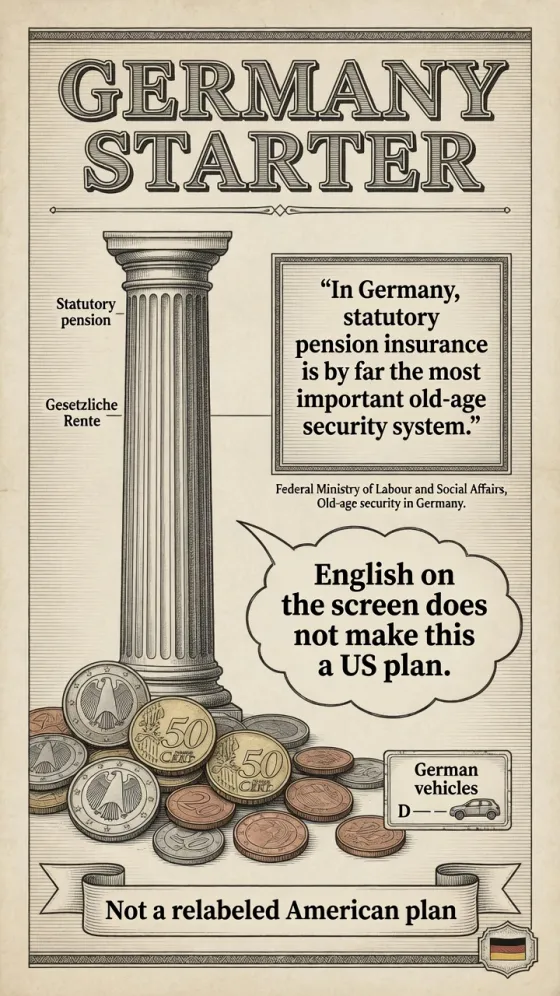
This is the first European plan in the Learning Center: a German household with EUR balances, German account types, a Gesetzliche Rente cash-flow generator, and a TaxesDe income-tax sketch — not a US dossier with different labels. It is a starting point for Germany retirement planning, with Rürup and Riester savings beside the state pension.
The live plan on the right is Germany Starter (germany_starter): Lukas and Mia, mid-career
in Germany. Use it to see how planning region shapes the product personality before you dig
into any single vehicle.
For the US contrast, where one product word names two separate tax systems, see Social Security treatment.
The language the app speaks and the country the plan models are two separate settings, and they are easy to mix up.
| Concept | What it is | Where you feel it |
|---|---|---|
| UI language | EN / DE / FR / ES copy for labels and help | Language control in chrome |
| Planning region | Which country’s product personality the plan uses | Toolbar  RegionA main-rail area. Explore the plan as if you lived elsewhere (today: US states; other countries are future work). The rail label is Region. chip; catalogues; tax plugin |
You can read the app in English and still plan a German household. Language is how the shell speaks; planning region is which rules and vehicles the dossier carries. This sample’s region is Germany; display currency is EUR.
The plan models two people, Lukas and Mia.
| Person | Role | Birth year | Plans to retire | Plan models life to |
|---|---|---|---|---|
| Lukas | Primary owner | 1980 | age 67 | age 92 |
| Mia | Secondary owner | 1982 | age 67 | age 94 |
Both target 67 for plan retirement — a common statutory-retirement story for a first German sample, not a claim that every German household retires in lockstep.
Where to look:  Bird's EyeWhen you are not on Dossier, this control sits in the top toolbar. Opens a household overview as a modal — people, assets and liabilities, cash flow — without leaving the area you are in. Hidden on Dossier, because that same overview already sits at the top of that area. → People (or the people area on Dossier). HoverOn a desktop or laptop, rest the pointer on a row, chip, or control to open a detail card — attributes, amounts, and often a small path chart. We put a lot of teaching detail in those cards on purpose. Hover needs a pointer, so it does not work on tablets or phones (tap may show a simpler view or nothing). Hold Alt if the tips become a nuisance — many product hovers stay closed while Alt is down so you can move the pointer freely.Full entry → a card for birth
year and the age · calendar-year pairing when the UI shows it.
Germany’s retirement story is often told as pillars. This sample puts several of them in one plan so you can see product identity, not just another savings pot with a different name.
| Layer | In this sample | What it is for |
|---|---|---|
| Taxable depot + giro | Brokerage ETFs + checking | Spendable / taxable wealth and cash |
| Pillar 1 — statutory | Gesetzliche Rente (Lukas) generator | National public pension (cash-flow template) |
| Pillar 2 — workplace | bAV (Direktversicherung sketch) | Employer occupational pension account |
| Pillar 3 — private | Rürup (Basisrente) + Riester | Self-directed / subsidized private contracts |
Accounts to open
- Depot (taxable brokerageAn ordinary taxable investment account — no special retirement wrapper, no contribution limit, and no withdrawal age rules. The trade-off is that dividends and realized gains are taxed as they happen rather than deferred. Often called the taxable bucket next to traditional and Roth.Full entry →) — Europe-facing holdings: developed ex-US equity, emerging markets, Euro aggregate bonds (thin DE/EU market pack — reuses existing growth types).
- Girokonto (checking) — demand / cash personality.
- bAV (Direktversicherung sketch) — workplace pot; annual contribution until start age 67.
- Rürup (Basisrente sketch) — higher private contribution sketch; same contract shape for now.
- Riester (sketch) — own contribution plus an annual Zulagen sketch (€475 total — illustrative basic + one child, not a full statutory table by tax year).
bAV, Rürup, and Riester share a contract shell today (capital, contribution, start age, COLACost-Of-Living Adjustment — the annual raise applied to a benefit so it keeps pace with prices. Social Security has one; many pensions do not, which is the difference that decides whether a fixed payment still buys anything in twenty years.Full entry →). That is intentional MVP reuse. Labels and the sample story carry most of the identity until vehicle-specific tax and subsidy depth deepen. Riester is the one that already shows a Zulagen line expanding separately from own contribution.
Cash flows and generators
| Item | Role |
|---|---|
| Primary salary | Earned income through the handoff into retirement years |
| Living expenses | Ongoing household spend |
| Gesetzliche Rente (Lukas) | Monthly benefit sketch → annual series from start age 67, with COLA |
Employer bAV is an account, not a second portable “pension generator.” Statutory pension is the generator; workplace capital sits on the balance sheet.
The plan’s inputs sit in the definitional views, and the year-by-year results sit in the Forecaster.
Definitional
- Toolbar — plan title next to RegionA main-rail area. Explore the plan as if you lived elsewhere (today: US states; other countries are future work). The rail label is Region. (Germany) and display currency (EUR).
- Bird's EyeWhen you are not on Dossier, this control sits in the top toolbar. Opens a household overview as a modal — people, assets and liabilities, cash flow — without leaving the area you are in. Hidden on Dossier, because that same overview already sits at the top of that area. /
 DossierA main-rail area. Where the household plan is defined — people, assets and liabilities, cash flows. In these lessons you mainly view; on desktop you enter and edit your own plan. → accounts — depot, giro, bAV, Rürup, Riester.
- Cash Flow selector on Bird's EyeWhen you are not on Dossier, this control sits in the top toolbar. Opens a household overview as a modal — people, assets and liabilities, cash flow — without leaving the area you are in. Hidden on Dossier, because that same overview already sits at the top of that area. — salary, living spend, and expanded contract contributions /
Zulagen once the plan expands.
 AssumptionsA main-rail area. The rules the forecast runs under — growth, taxes, movements, success definition, locality, currency. Read and write. / Taxes — TaxesDe is installed (empty
TaxesDe {}means built-in sketch defaults). There is a first-year tax estimate anchor as well; the Forecaster statement is the year-by-year path.
Projected —  ForecasterA main-rail area with two jobs: (1) run the plan year by year and inspect Forecast Detail, and (2) Simulation Summary — many paths summarized into something like a probability of success.
Prefer FID 0 / GMFHow the north star is labeled in the FID control: FID 0 is the deterministic GMF ✦ path, and every other FID is a randomized draw from the simulation. Choose it when you want the year-by-year read to hold still while you change something else about the plan.Full entry →. Use Year to jump between a working year and a post-67 year.
| View | Role here |
|---|---|
 CF ChartA Forecast Detail chip. CF = cash flows. Money in above the line, money out below, by category over the years. The net line, drawn in thick black, is net cash flow — often the thing you came for. /  CF TableA Forecast Detail chip. CF = cash flows for the selected year — incomes, expenses, taxes, and invest / sell / borrow totals. | Salary while working; Gesetzliche Rente and contract behavior after start ages. |
| Taxes → Germany | Dual-track sketch statement (ordinary progressive + capital flat + Soli) — not a US federal worksheet. |
| Simulation Summary | Multi-path outcomes on a EUR-native book. |
Chart controls: Close up / zoom / Reveal.
Work these steps on the plan on the right. The first confirms the plan is German, the second traces the pillars while Lukas and Mia work, and the third reads a year after the statutory start age.
A. Confirm you are not in a US plan
- Read the toolbar: RegionA main-rail area. Explore the plan as if you lived elsewhere (today: US states; other countries are future work). The rail label is Region. should show Germany, display unit EUR.
- Open accounts: you should see bAV / Rürup / Riester / Gesetzliche Rente vocabulary — not TraditionalA retirement account where the tax is paid on the way out — not a description of an old-fashioned account. Money went in before income tax, grew untaxed, and is taxed as ordinary income when you take it out — traditional 401(k)s and IRAs work this way. The contrast is Roth (taxed going in, tax-free coming out) and taxable (brokerage, taxed as you go).Full entry → IRAIndividual Retirement Account — a retirement wrapper you open yourself rather than through an employer. It comes in traditional (pre-tax going in) and Roth (taxed going in) flavors, so naming the flavor matters more than the acronym does.Full entry → / RothA retirement account where you pay income tax on the money going in, and qualified withdrawals later come out tax-free — the mirror image of traditional. Named after the senator behind the law, so the word tells you nothing on its own. Plans care because Roth dollars do not add to taxable income later, which keeps them clear of income-driven cliffs.Full entry → / Social Security as the primary cast.
- Open ForecasterA main-rail area with two jobs: (1) run the plan year by year and inspect Forecast Detail, and (2) Simulation Summary — many paths summarized into something like a probability of success.
 TaxesA Forecast Detail tax-lens chip. Tax statement for the selected year (federal, state when modeled, property).. You should get a Germany tax card (sketch notes included), not
the US federal “totals-first” Social Security / FICAFederal Insurance Contributions Act — the payroll tax withheld from a paycheck for Social Security and Medicare. An employee pays half and the employer pays the other half. It is separate from income tax, which is why a plan can show income tax and payroll tax as different lines. Someone who works for themselves pays both halves instead (SECA).Full entry → layout from the US lessons.
B. Trace pillars before retirement
- On Bird's EyeWhen you are not on Dossier, this control sits in the top toolbar. Opens a household overview as a modal — people, assets and liabilities, cash flow — without leaving the area you are in. Hidden on Dossier, because that same overview already sits at the top of that area., select Cash Flow if available and find Primary salary and Living
expenses.
- Open the Riester account: note own contribution and annual Zulage as separate ideas — Zulagen are state bonus capital, not “just a higher contribution field with no story.”
- Open bAV and Rürup: same shell, different product names and contribution magnitudes in the sample.
Prefer “three different German vehicles on one sheet” over memorizing euro amounts.
C. After statutory start age
- Scrub Year to a year when Lukas is past 67 (sample birth 1980 → roughly plan year 2047+ depending on as-of year).
- On CF, look for Gesetzliche Rente as benefit cash (generator expand), distinct from taxable depot sales.
- On Taxes → Germany, skim ordinary vs capital tracks if the year has both wage/pension-like flows and taxable-account gains. Treat numbers as illustrative sketch, not a BMFBundesministerium der Finanzen — Germany's federal finance ministry, whose published income-tax formula and tables are the authority a German sketch is approximating.Full entry → notice.
How the pieces relate
flowchart TB
  subgraph region [Planning region GERMANY]
    Lang[UI language independent]
    EUR[Display currency EUR]
    Cat[DE catalogues and panels]
  end
  subgraph pillars [Retirement story]
    GR[Gesetzliche Rente generator]
    BAV[bAV account]
    RUR[Rürup account]
    RIE[Riester + Zulagen]
  end
  subgraph tax [TaxesDe sketch]
    Ord[Ordinary progressive]
    Cap[Capital flat + Soli]
  end
  region --> pillars
  pillars --> tax
  Depot[Taxable depot] --> Cap
TaxesDe is the Germany tax plugin on this sample, and it is a sketch rather than full national tax software.
Reference — what the TaxesDe sketch covers
| It is | It is not |
|---|---|
| Year-by-year ordinary progressive ladder + capital flat (Abgeltungsteuer-style 26.375% sketch) + Soli on ESt | Full BMF Einkommensteuer (zone formula, Sonderausgaben, Kinderfreibetrag, …) |
| Enough for Germany Starter to show a Germany statement instead of “not modeled” | Kirchensteuer, Sparerpauschbetrag, Freigrenze fidelity |
| Honest UI notes that this is a sketch | Accurate Ertragsanteil / contribution deductibility for every DE vehicle payout |
The 26.375% capital rate is the 25% flat tax plus the 5.5% solidarity surchargeAn extra amount added on top of a normal charge once income passes a line — in planning, almost always the Medicare premium surcharge. It is not a tax rate, so it does not show up in a bracket; it arrives as a higher premium, in tiers, based on a tax return from two years earlier.Full entry → on that tax (25% × 1.055).
US federal benefit inclusion (0/50/85%) and FICA payroll are different systems for a different region — see Social Security treatment. Do not read the Germany card as if it were that worksheet.
| Not this lesson | Where that lives |
|---|---|
| Full statutory Zulagen tables by tax year / child cohort | Product note: Riester sketch only; later tax/reference pass |
| Wohn-Riester / housing path | Deferred region work |
| Deep Ertragsanteil and contribution deductibility | TaxesDe follow-ons |
| US Social Security claim age or FICA vs benefit tax | Social Security treatment, Claim early vs live long |
| How to tour chrome and Forecaster in general | Getting around the app |
Design depth for builders (not required for this walkthrough):
doc/planning-regions/germany/ (vehicles, TaxesDe sketch, market pack).
| If you only… | You can miss… |
|---|---|
| Treat Germany as “US plan + euro symbol” | Wrong vehicles, wrong tax card, wrong mental model for hard-cut when switching region |
| Collapse bAV / Rürup / Riester into “three IRAs” | You lose pillar identity (workplace vs Basisrente vs subsidized Riester + Zulagen) |
| Expect finished national tax software | You over-trust a sketch statement that is meant to be inspectable and improvable |
| Mix UI language with planning region | You think changing the language rewrote the tax system (it does not) |
This sample exists so the first European country is a real product slice — region, currency, catalogues, generators, accounts, and a tax path that admits its limits — not a screenshot of intent.
| Lesson | Why |
|---|---|
| Getting around the app | Shared navigation for every later lesson |
| Social Security treatment | US contrast: payroll FICA vs benefit inclusion |
| Tax-account order vs pro-rata | US residual funding order (different region, same Forecaster habits) |
| Meet the Springfield household | US baseline cast if you are learning the app on USD samples first |
Rebuild this plan by hand
The cards on the canvas show the accounts and cash flows. These are the settings that live outside any card, read from the plan itself, with the label each control carries in the app. A value marked default is one to leave alone.
| Setting | Germany Starter |
|---|---|
| Household | |
| Planning region | Germany |
| Lukas (Primary) | |
| birth year | 1980 |
| retirement age | 67 |
| death age | 92 |
| Mia (Secondary) | |
| birth year | 1982 |
| retirement age | 67 |
| death age | 94 |
| Taxes | |
| Tax regime | Germany |
| First-year estimated taxes | €18,000 |
| Strategy | |
| Residual withdrawal strategy | Pro-rata (default) |
| Roth conversions | Off |
| Definition of success | Liquidity crises allowed (default) |
| Glide path target | None (default) |
| Advanced | |
| Reporting inflation | Assumption set's rate (default) |
| Cost of capital | Assumption set's rate (default) |
| Growth assumptions | Growth overrides (default) |
| Currencies | Multiple currencies (default) |
| Default currency | EUR |
| Display currency | EUR |

Educational content — not advice. These lessons teach how Tutilis models a plan and how to read what it shows. The households, balances, and outcomes in them are invented for teaching. Nothing here is financial, investment, tax, or legal advice, or a recommendation to buy, sell, or hold anything. A model cannot know your circumstances — check anything you take from a lesson against your own situation, and against a qualified professional where it matters.